

How to create a support ticket
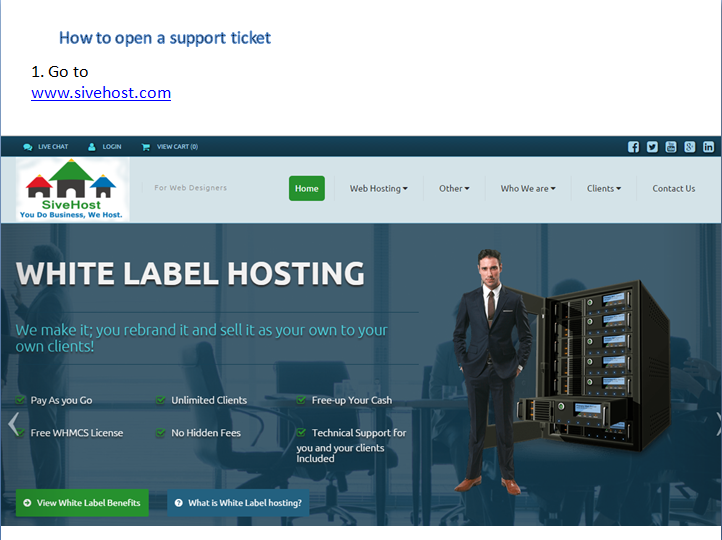
2. Click on 'LOGIN' and insert your email details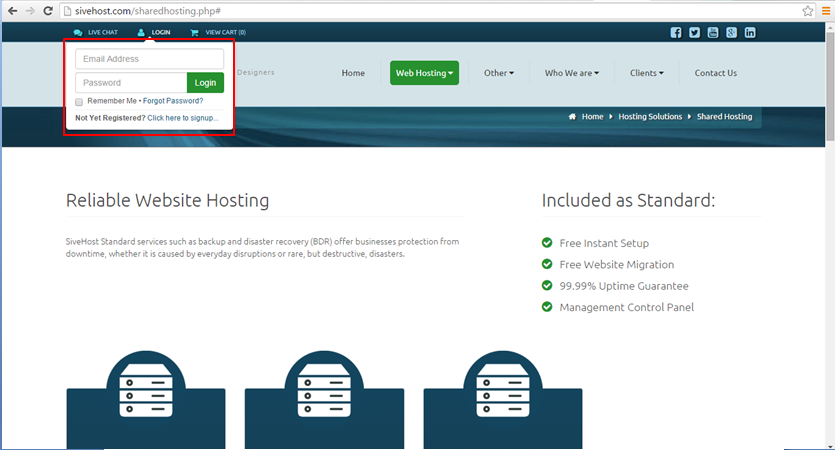
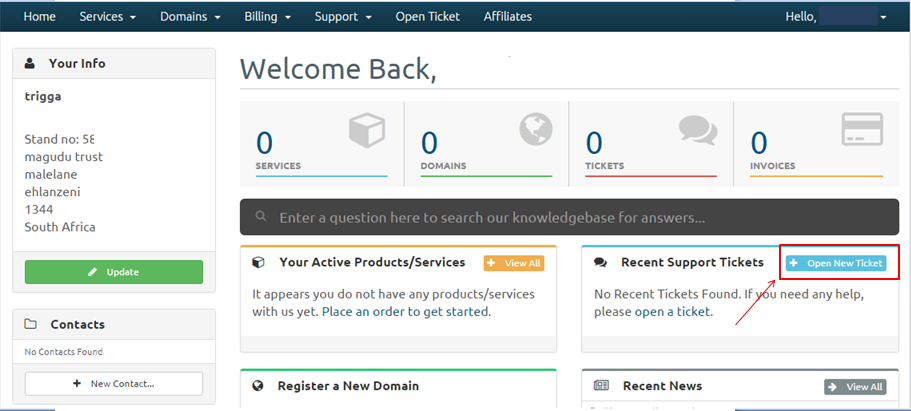
3. On your Dashboard, find "Open New Ticket" and click on it.
4. Compose your message, attach the files or screenshots of your issue and once done click on Submit and you have successfully opened a ticket.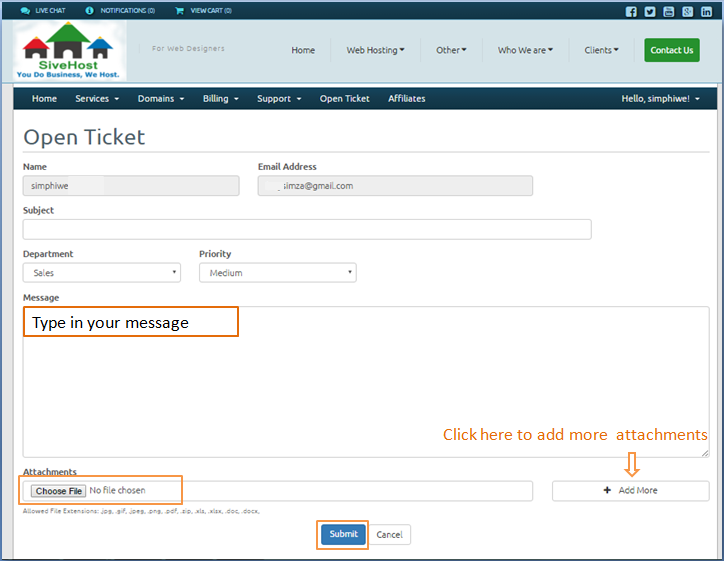 *
*
